How to Connect and Trade Hyperliquid on TabTrader
What you need to get started:
Before you begin, make sure you have these things ready:
- A TabTrader account: Available on web app.tabtrader.com, iOS, and Android.
- A Hyperliquid account. You can sign up for free using this link.
- At least $5 USDC in your Hyperliquid wallet.
Step 1: Create your TabTrader account
If you don’t have a TabTrader account yet, do the following:
- Go to app.tabtrader.com or download the app from the App Store or Google Play.
- Register with your email address, create a password, and verify your account.
Once done, you’re ready to connect an exchange.
Step 2: Deposit USDC into Hyperliquid
You need at least $5 USDC in your Hyperliquid account before you can create an agent wallet.
- Log in to Hyperliquid
- Click Deposit:
- Choose USDC from Arbitrum as the source, enter the amount, and confirm in your wallet. Funds typically appear within a couple of minutes
- You can also buy USDC directly with fiat if this option is available in your region.
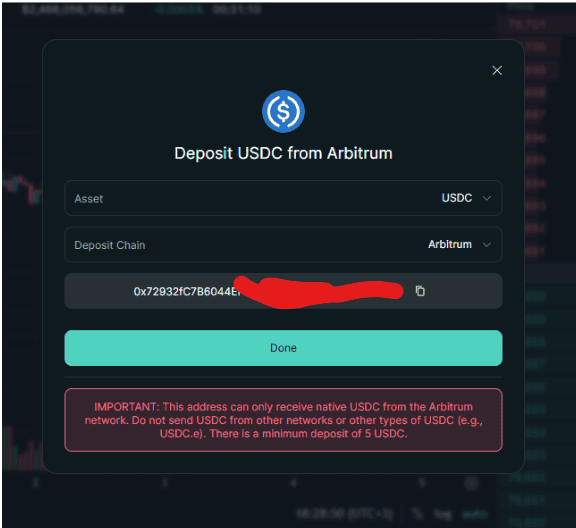
Step 1.
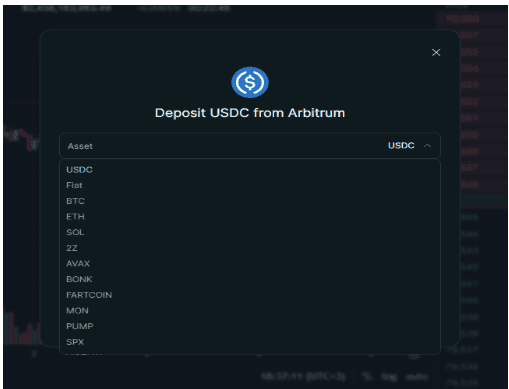
Step 2.
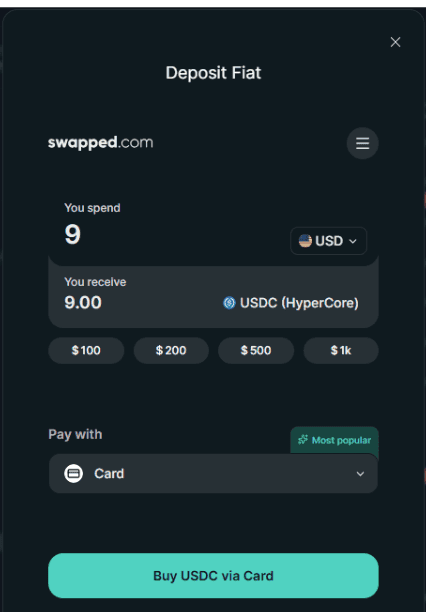
Step 3.
Step 3: Connect Hyperliquid to TabTrader
- Open TabTrader and go to the Portfolio tab, then tap + Account.
- Select Hyperliquid from the list of available exchanges.
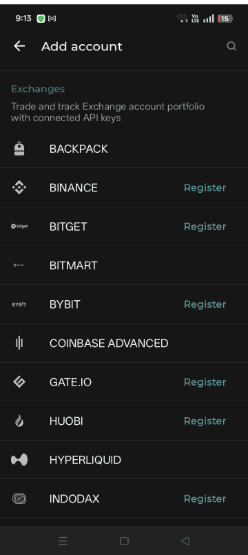
Select Hyperliquid.
- Generate an Agent wallet. (This is the fastest setup). This wallet allows trading but does not allow withdrawals, adding an extra layer of security.
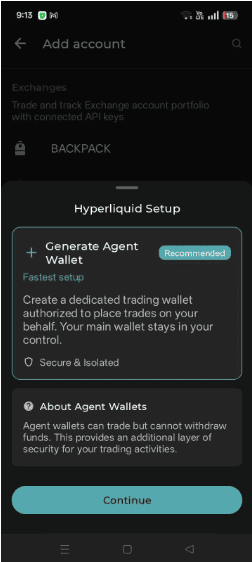
Generate agentic wallet.
If done successfully, your Hyperliquid account will appear in your TabTrader portfolio once connected.
Step 4: Place your first trade
- Open the trading screen and select Hyperliquid as your active exchange from the account switcher.
- Search for the asset you want to trade from the watchlist or market search.
- Select your order type (market, limit, or stop), enter the size, and set leverage if applicable.
- Review your order details and tap Buy or Sell to submit. Your position will appear in the open positions panel.
This usually comes down to incorrect API credentials or an issue with your agent wallet. Make sure you’ve generated the agent wallet correctly and entered both the wallet address (API key) and private key (API secret) without errors.
An agent wallet allows TabTrader to execute trades without exposing your main wallet. It only has trading permissions and cannot withdraw funds, making it a secure way to connect your account.
You won’t be able to recover it. You’ll need to generate a new agent wallet and reconnect it to TabTrader.
Common reasons include insufficient balance, incorrect order settings, or limit prices not being reached. Double-check your order details before submitting.